Textile printing shouldn’t feel like a gamble. But for many print rooms, it still does. Whether it’s head strikes. Edge curling. Strike-through. One issue leads to another, and suddenly you’re wasting media, losing time, and risking output quality and ruining your reputation while you’re at it.
In this post, we’ll look at the challenges of printing on textiles, and explain how to choose print textiles that help you cut the risk.

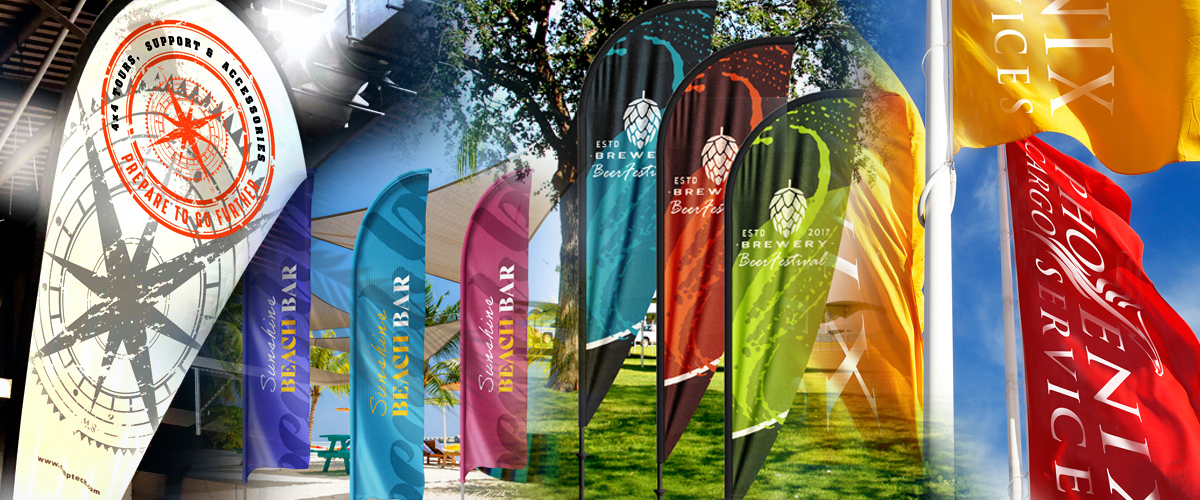
It’s not that long ago that print shops rarely came across textiles. But the growth of textile printing in applications like flags, tents and the soft signage you’ll see in virtually every retail store, malls and exhibition halls have changed all that. Textile printing has become a print shop staple – but that doesn’t always make life easy for printers.
There’s a fair bit of hesitation among printers when it comes to textile media for one simple reason: there’s lots of potential for things to go wrong.

Head-strikes, edge curls and strike-throughs, oh my!
Head strikes
Does your finished print look smudged or distorted? Is there ink in places it shouldn’t be? A head strike, where the printhead runs up against a puckered or uneven material, is a likely culprit.
These are a nightmare for print shops because it’s not just a question of costly and time-consuming rework and wasted ink. There’s always a risk of damaging the printheads, and that means even more costly repairs. This turns a media issue into a costly service problem.
Edge curls
Misaligned and inconsistent print quality? Some fabrics have a habit of lifting or curling at the edges in a way that paper and vinyl just don’t. To make matters more frustrating, there are several potential causes, from textile choice to tension to humidity. But if the material isn’t stable, you’re fighting a losing battle.
Whatever the cause, edge curling means interrupted print runs at best and potentially far more troubling head strikes at worst.
Strike-through
Strike-through (or ink bleed-through) isn’t always immediately visible, but it’s rarely harmless. If the reverse of the print won’t be seen and bleed is minimal, you might get away with it. Even then, you’re often sacrificing colour density and overall finish. In backlit applications, any excess ink penetration becomes far more obvious, reducing impact and consistency across the graphic.
What’s less visible is the cost behind it. Excess ink passing through the textile is ink that isn’t contributing to the image. Over time, that inefficiency adds up, increasing consumption, reducing control, and ultimately costing more than it should.
The right textile keeps ink where it’s needed, because in worst-case scenarios, where both sides of the print are visible, strike-through doesn’t just affect quality; it means starting the job again, resulting in wasted material, lost time, and unnecessary cost.
Why do print textile problems occur?
These may be three distinct problems, but they often have a common cause. Printer setup, tension control, humidity, temperature and ink compatibility may all play a part.
But the biggest factor of all is fabric choice and finish.
How to choose printing textiles the reduce risk
1. Choose treated or coated textiles
Uncoated textiles can act like a sponge, absorbing ink and causing a strike-through. Specially engineered coatings help control ink absorption by changing how the fabric behaves when ink is applied. That means there’s less chance of the ink soaking and spreading, which reduces the risk of ink bleeding.
2. Choose the right textile weight and weave
A ink bleeding is much more likely to happen when you choose a lightweight or loosely woven textile. Lightweight textiles are also more likely to deform and pucker (increasing the risk of head strikes), and edges are more likely to lift and curl under tension. Always aim for mid-weight, tighter weave textiles that are less likely to present any of the above risks.
3. Choose a textile with a backing
For certain applications, especially lighter fabrics, a backing layer can make a noticeable difference. It adds structure, reduces movement, and helps manage ink penetration.
4. Choose dimensional stability
Sounds a bit sci-fi, This is what separates production-ready textiles from problem materials.
You want fabrics that hold their shape under heat and tension, without shrinking, stretching or distorting mid-run. In many cases, that means choosing woven constructions over knitted alternatives, depending on the application.
You’ll see “woven” in the descriptions of many of our available fabrics.
Explore all our printable textiles
Always test in your own environment
Even the best material will behave differently depending on your setup. Ink set. Temperature. Humidity. Machine configuration all play a part
Because print performance can be affected by so many factors, it’s a good idea to build your own list of go-to printing materials that you know perform well with your printers, inks, temperature and humidity.
Textile printing doesn’t have to be high risk
Most issues people associate with textile printing aren’t inevitable. They’re avoidable, with the right material choices.
When the textile is stable, coated correctly, and matched to the application, everything else becomes easier:
Cleaner output, Fewer interruptions, Less waste, More predictable production.
Talk to Soyang
If you’re reviewing your textile range or trying to solve recurring print issues, it’s worth having a proper conversation before you buy.
Because the right material doesn’t just improve print quality. It protects your entire print run.